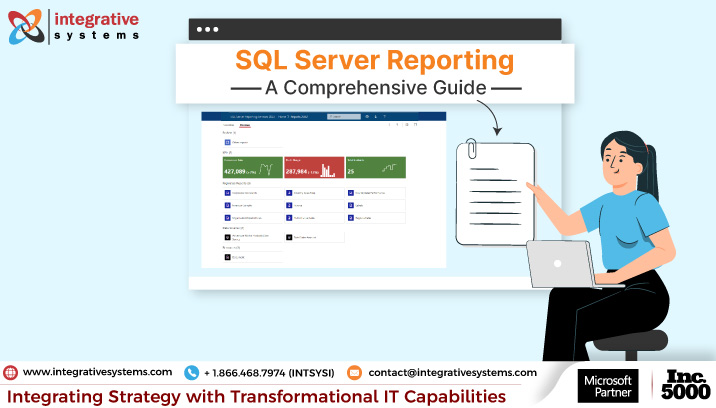
SQL server reporting services – a server-based report designer, builder, and
deployment platform by Microsoft. For a CTO willing to adopt data-driven decision-making yet wants to maintain the data safely in the data warehouse, it’s a one-stop solution.
SSRS not only offers the leverage to visualize data in intuitive formats but also keeps your data safe from unauthorized access.
Fascinated to explore what SSRS has got for you?
Today, you will read about –
- What is SSRS?
- Key features to look for in SSRS
- Impeccable Integration Capabilities of SQL Server Reporting
- Reporting Challenges that SQL Server Reporting Addresses
Ready to explore? Let’s begin!
What is SSRS?
SQL Server Reporting Services (SSRS) is a Microsoft server-based reporting platform used to create, deploy, manage, and deliver paginated reports from business data. It supports report design, data-source integration, web-based access, scheduling, subscriptions, and controlled report distribution.
Starting with SQL Server 2025, Microsoft is consolidating on-premises reporting services under Power BI Report Server (PBIRS), and no new versions of SSRS are planned. PBIRS includes SSRS capabilities and adds support for Power BI reports.
Microsoft SQL server reporting services is a complete server-based reporting platform by Microsoft. Its capabilities to integrate with SQL server components & potent data retrieval, make it a winning choice.
SSRS integrations with a variety of data sources like relational databases, OLAP cubes, and XML data. And, also offers compelling formatting options and interactive features like drill-down & drill-through.
You can create, deploy, and manage a wide range of reports ranging from simple tables to intricate visualizations. This makes business intelligence & analytics easier than ever.
The best part? You can access the reports via a web-based interface or even embed them in a custom application. Limitless flexibility & accessibility.
Voila!
SQL reporting services also offer tools for scheduling reports, delivery, and subscription. This makes it the ultimate choice for reporting solutions for translating raw data into insights.
Now, as you are well-versed with what SQL server reporting is, let’s unveil its key features.
What are the Main Features of SQL Server Reporting Services?
SQL Server Reporting Services provides a server-based reporting environment for creating, deploying, managing, and delivering paginated reports.
Its core capabilities include report creation, data-source integration, web-based access, scheduled delivery, security, customization, and integration with other Microsoft and third-party technologies.
| SSRS Capability | What it Supports |
| Report creation | Charts, graphs, maps, and tables |
| Data integration | SQL Server, Oracle, and OLE DB/ODBC |
| Web-based access | Viewing, printing, and exporting reports |
| Automated delivery | Scheduled delivery to stakeholders |
| Data security | Role-based access and permissions |
| Third-party integrations | Integration with third-party tools and customizations |
| Scalability | Handling varying volumes of data and users |
Before you decide upon your investment in SQL server reporting services, it’s quintessential to understand the key capabilities.
As we said before, SSRS is a complete package when it comes to reporting needs.
Let’s look at the key capabilities to put your decision at ease.
What Types of Reports Can SSRS Create?
Using SSRS, you can create paginated reports using tables, matrices, charts, graphs, and maps. These reports can be designed for detailed operational reporting, formatted outputs, printing, exporting, and scheduled distribution.
| Report Type | What it is Useful for |
| Tables | Detailed, row-based operational reporting |
| Matrices | Cross-tab and summarized reporting |
| Charts | Visualizing trends and comparisons |
| Maps | Presenting location-based data |
| Paginated Reports | Precisely formatted reports designed for printing, export, or structured distribution |
It may sound too basic to begin with, but SSRS’s powerful report-designing capabilities make it a bet worth taking. It enables you to create detailed reports using diverse visualization options like charts, graphs, maps & tables.
Data Integration Support
SQL server reporting services boast a unified view of data with support for a wide range of data sources. You can connect diverse data sources to generate comprehensive SSRS reports like SQL server, Oracle, and OLE DB/ODBC.
Web-based Access
Accessing SSRS reports comes easy with swift distribution & collaboration through a web portal. You can choose the format of your choice like PDFs, Excel, or Word to view, print, or export your reports.
Automated Delivery
No exaggeration, but automated report delivery is something you can vouch for, as a decision-maker. SSRS facilitates the automated delivery of reports to stakeholders (decision-makers) with predefined intervals.
Robust Data Security
SSRS reports facilitate role-based access control. You are enabled to manage user permission based on data accessibility criteria. This ensures the safety & integrity of sensitive business data.
Third-Party Integrations
SQL server reporting services support swift integration with third-party tools & customizations. You are never shoe-horned or limited from extending your reporting capabilities.
Scalability
No matter what the size of your business is and what volume of data you handle, SSRS performance never fades. SSRS reporting services can handle varying volumes of data and users, ensuring scalability.
Now as you are aware of the key features of SSRS, let’s understand how its impeccable integration capabilities sync with Microsoft ecosystem.
What are the SSRS Integration Capabilities?
SSRS integrates with SQL Server, SQL Server Analysis Services, SQL Server Integration Services, SharePoint, and other reporting or data technologies.
These integrations help you connect reporting to enterprise data, prepare information for reporting, and distribute reports across business environments.
| Integration / Component | How it Supports Reporting |
| SQL Server | Primary data source for SSRS reporting |
| SQL Server Analysis Services (SSAS) | Supports multidimensional data analysis |
| SQL Server Integration Services (SSIS) | Supports data extraction, transformation, and loading alongside SSRS |
| Microsoft SharePoint | Supports report collaboration and distribution |
| Power BI | Can be used alongside SSRS for interactive analytics |
| Microsoft Dynamics 365 (D365) | Supports reporting on Dynamics 365 data, subject to the application, deployment model, and supported data access methods |
Here are the key features of SSRS that make reporting easier and more effective.
SQL server reporting services (SSRS) and SQL server, how do they work in tandem?
SSRS integrates with SQL Server and other Microsoft products efficiently, owing to its superior integration capabilities. This integration further enhances the functionality and use cases of SSRS reporting.
To be precise, SSRS uses SQL server as a primary data source to store the reports & metadata.
It uses SQL Server Analysis Services (SSAS) and SQL Server Integration Services (SSIS) for multidimensional data analysis and data extraction, transformation & loading, respectively.
SSRS’s integration with Microsoft SharePoint fosters diligent collaboration & distribution of SSRS reports. This ensures effective management and delivery of SSRS reports, empowering strategic decision-making.
Basics done and dusted? Now, let’s look at how Microsoft SQL server reporting services prove instrumental in resolving intricate business intelligence challenges.
How Can SQL Server Reporting Services Support Your Business Reporting Needs?
SQL Server Reporting Services supports enterprise reporting by connecting diverse data sources, enabling scheduled and on-demand reporting, integrating with Power BI, supporting report customization, and providing role-based security.
It provides a centralized environment for creating, managing, securing, and distributing paginated reports.
In today’s evolving business landscape, data plays a vital role in crucial business decisions.
SQL server reporting services prove instrumental in turning crucial reporting challenges down.
What Data Sources Does SSRS Support?
SSRS can connect to supported relational and analytical data sources through its reporting data-source architecture, including SQL Server and SQL Server Analysis Services, as well as provider-based sources such as OLE DB and ODBC.
The exact available sources depend on the SSRS version, provider, and deployment configuration.
Siloed business data and faltering integrations pose threats to data-driven decision-making.
SQL server reporting services foster seamless data integration & democratization. It enables integration for diverse data sources and supports reporting from current source data, depending on the data source and report configuration.
You may start to think – “What all data sources does SSRS support?”
To be precise, SQL Server Reporting Services supports a wide range of data sources through its modular and extensible data-processing layer.
These include relational databases, multidimensional and analytics platforms, enterprise data sources, and generic providers such as OLE DB and ODBC.
Microsoft Cloud & Relational Databases
SSRS supports relational and cloud-based Microsoft data platforms, including:
- SQL Server
- Azure SQL Database
- Azure SQL Managed Instance
- Azure Synapse Analytics
- Microsoft Fabric SQL analytics endpoints and Warehouse
Multidimensional & Analytics Platforms
For multidimensional and analytical reporting, SSRS supports:
- SQL Server Analysis Services (SSAS)
- Azure Analysis Services
- Power BI Premium datasets
SSAS support includes MDX, DMX, Power Pivot, and tabular models.
Third-Party & Enterprise Data Sources
SSRS also supports several enterprise database and analytics platforms, including –
- Oracle Database – requires Oracle Data Access Components (ODAC) on the server
- Teradata
- SAP Business Warehouse (SAP BW)
- Hyperion Essbase
Generic & Structured Data Providers
SSRS can also connect to data through generic providers and structured sources, including –
- OLE DB – connects to databases and other sources with an OLE DB provider
- ODBC – connects to databases that support Open Database Connectivity, including sources such as MySQL and PostgreSQL
- XML – supports XML documents, local files, and XML-based web services
- Microsoft SharePoint Lists – allows reports to retrieve data directly from SharePoint lists
This gives SSRS flexibility to bring data from on-premises databases, cloud platforms, enterprise systems, analytical models, and structured data sources into a reporting environment.
As discussed earlier in the read, SSRS facilitates a healthy integration with SQL Server Analysis Services for multi-dimensional data & intricate analytical reporting.
Now, you may start to think – “How does SSRS support critical decision-making that demands real-time data points?”
Depending on the data source and report configuration, SQL reporting services can query current source data when a report is requested, supporting on-demand reporting.
SSRS also supports the creation of data-driven subscriptions and automated report generation, delivering up-to-date reports to users at scheduled intervals or triggered by specific events.
This real-time reporting capability is crucial for businesses that rely on timely insights to respond quickly to market changes, operational challenges, or customer needs.
This versatility enables organizations to centralize data from disparate sources into a unified reporting environment, eliminating data silos and providing a holistic view of business operations.
Can a SQL Server Services Company Integrate SSRS With Power BI?
A SQL Server services company can help you use SSRS alongside Power BI when you need paginated operational reporting alongside interactive analytics.
The appropriate approach depends on the your existing SSRS assets, reporting requirements, and modernization strategy.
For longer-term on-premises reporting, Microsoft now positions Power BI Report Server as the consolidated reporting platform starting with SQL Server 2025.
| Requirement | Better fit |
| Highly formatted, paginated reports | SSRS |
| Printing and fixed-layout reporting | SSRS |
| Interactive dashboards | Power BI |
| Visual data exploration | Power BI |
| Operational reporting + interactive analytics | SSRS + Power BI |
| Existing RDL/paginated report investment | SSRS / Power BI Report Server, depending on environment |
Let’s understand this better with an example.
Assume you are the CTO of a manufacturing company. You are facing challenges in managing and analyzing production data owing to dispersed systems.
Problem
You are currently operating with fragmented reporting for disparate systems.
With scattered data, it’s difficult for the management to identify bottlenecks, spot inefficiencies & make informed decisions. Additionally, the static nature of traditional SSRS reports limited interactive data exploration and real-time insights.
Solution
You decide to integrate SSRS with Power BI to have a unified reporting solution.
Result
You are now enabled to access intuitive dashboards with a unified view of critical manufacturing data points. You are experiencing enhanced visibility and faster identification of production bottlenecks.
How Can an SSRS Expert Help Modernize Reporting?
An SSRS expert can modernize reporting by improving report design, data integration, security, automation, and delivery while connecting SSRS with newer analytics platforms such as Power BI.
For organizations with existing RDL and paginated-report investments, modernization can also involve assessing the appropriate role of SSRS and Power BI Report Server.
How Can SSRS Reports Be Customized?
SSRS reports can be customized through tools such as Report Builder and SSDT/Report Designer. Teams can modify layouts, tables, matrices, charts, formatting, parameters, expressions, and interactive features such as drill-down and drill-through to meet specific reporting requirements.
Customization is the need of the hour, today.
Specifically, when you are looking for a reporting solution like SQL Server Reporting Services, customization is of prime importance.
Thinking if SSRS supports customization?
Of course, it does.
To cope with your diverse reporting needs, Microsoft SQL server reporting services offer advanced report designing features. You can create & customize your SSRS reports using SQL Server Data Tools, a set of design tools.
You can design complex reports using tables, matrices, and charts with conditional formatting options. This allows your reports to change their appearance based on the data and conditions you put up.
Additionally, you can integrate custom code, expressions, and assemblies to extend report functionalities, leveraging endless customization possibilities.
Does your business need interactive & ad-hoc reporting?
Fret not! SSRS has still got you covered.
Interactive features such as drill-down, drill-through, and parameterized reports enable you to navigate through data hierarchies and focus on specific details without needing multiple static reports.
Ad-hoc reporting is facilitated through Report Builder, a user-friendly tool that allows you to create your own reports without deep technical know-how.
This self-service capability reduces dependency on IT departments for report creation and modification, fostering a more agile and responsive reporting environment.
Let’s understand this with an example.
Assume you are the CTO of a retail chain. You are struggling to put up scattered sales data across stores together, leading to ineffective inventory management.
Problem
Lost sales opportunities due to events of stockouts & overstocking.
Solution
You decide to implement customized SSRS reports that consolidate sales data across stores.
Result
Customized SSRS reports with advanced visualizations & heat maps helped you analyze trends & sales performance of specific stores. The events of stockouts and overstocking have been reduced by a considerable margin.
Now, you have supervisory control over the inventory function across retail stores.
How Does SSRS Support Data Security?
SSRS supports report security through role-based access, permissions, secure connections, and report-server encryption mechanisms.
Additional protection for underlying SQL Server data can come from database security features such as Transparent Data Encryption or Always Encrypted, depending on the deployment.
As a CTO, your concern about safeguarding sensitive business data is certain.
Thinking about – “What data security provision does SQL server reporting services have?”
SSRS has you covered with role-based access control and secure data transmission mechanisms.
Role-based access control in SQL server reporting ensures that only authorized stakeholders gain access to sensitive business data.
As an administrator, you are empowered to devise access with specific permissions based on their job function. You can assign permissions for report viewing, creation, data source management & much more.
This superior control on “who gets to access/see what” helps tighten the level of data security & integrity. At the same time, this reduces the risk of data theft with a clearly laid out audit trail of SSRS reports accessibility.
Not to limit the security stature of SSRS reports here, it also has a secure data transmission mechanism in place. SSRS can use Transport Layer Security (TLS), previously known as SSL, to establish encrypted connections between clients and the report server when TLS is configured.
This advanced level encryption ensures sensitive information like financial details, customer details, and personal details are kept confidential.
SSRS stores sensitive report server information using its report server database and encryption-key mechanisms; protection of data at rest also depends on the underlying SQL Server and deployment configuration.
SQL Server features such as Transparent Data Encryption (TDE) and Always Encrypted can provide additional protection for SQL Server data, depending on the deployment and data-security requirements.
Let’s understand this with an example.
Assume you are the CTO of a finance firm. You are anticipating risks of unauthorized access to sensitive financial information.
Problem
Potential risk of data theft and compliance issues to sensitive financial data.
Solution
You decide to implement role-based access and SSL encryption for SSRS reports.
Result
With the advanced security stature, your sensitive financial data is now prevented from unauthorized access. Only users with specified permissions can access the data. The trust of customers and auditors has risen owing to compliance with financial regulations.
Now that you are well versed in how SQL Server Reporting Services help you navigate through crucial reporting challenges, you must be looking for a reliable SQL server reporting partner to help you with the legwork.
Whether used as a standalone solution or integrated with SSRS, SSRS and SSIS services help ensure your business data is centralized, accurate, and actionable.
Who Provides SQL Server Reporting Services?
SQL Server Reporting Services is provided by Microsoft as part of its SQL Server reporting ecosystem. Organizations typically work with SQL Server services companies, Microsoft partners, or SSRS consultants for report development, integration, customization, maintenance, and modernization.
| Provider capability to evaluate |
| SQL experts |
| SQL Server Services |
| SQL Consulting Services |
| SQL Server Managed Services |
| SQL Server Reporting Services |
| SQL Server Integration Services |
| Solutions aligned to unique needs, goals, and budgets |
Where can You Find an SSRS Consultant?
You can find an SSRS consultant through a SQL Server services company or technology partner with experience in SSRS report development, SQL Server, data integration, security, and reporting modernization.
The right consultant should be able to support both existing SSRS environments and broader reporting requirements.
What Should You Look for in an SSRS Services Provider?
Look for expertise across report development, data integration, security, customization, managed services, and modernization, and not just report creation.
A strong provider should understand your existing reporting environment and align its recommendations with your reporting requirements, technology landscape, and business goals.
| What to Evaluate | What to Look for |
| SSRS Expertise | Report development, deployment, customization, and maintenance |
| SQL Server Expertise | Strong understanding of SQL Server databases and reporting environments |
| Data Integration | Experience connecting reporting environments with relevant data sources |
| Security | Role-based access, permissions, and secure reporting configurations |
| Modernization | Ability to assess SSRS alongside Power BI and Power BI Report Server |
| Managed Services | Ongoing monitoring, maintenance, troubleshooting, and optimization |
| Business Understanding | Ability to align reporting with operational and decision-making requirements |
“Most SQL Server environments do not fail because the technology is weak. Problems usually begin when database growth, integrations, and operational demands evolve faster than the internal support structure.”
~ Peter Grigg | Director of Microsoft Technologies, Integrative Systems.
For SSRS environments, this perspective is particularly relevant when organizations are balancing existing reporting investments with new requirements for integration, performance, analytics, and modernization.
Integrative Systems – Your SQL Server Reporting Services Partner
Integrative Systems provides SQL Server Reporting Services support covering report development, SQL Server services, consulting, managed services, integration, and reporting modernization. We start by understanding your goals and challenges, then map them to the right expertise and solutions.
We are confident you have developed a sound know-how of SQL Server Reporting Services, a robust tool for creating, deploying, managing, and delivering reports. Our approach is to work as an extension of your team, helping you make the most of your existing reporting environment.
You have the liberty to use SSRS services as a standalone solution or integrate them with business intelligence tools like Power BI. Whether you need to optimize an existing setup or modernize your reporting environment, we deliver solutions you can rely on.
Whether you are a beginner or a veteran, this comprehensive guide is all you need to enhance your understanding and usage of SQL Reporting Services. Our focus remains on helping you succeed first, with solutions aligned to your business needs.
This blog was brought to you by Integrative Systems – an MS SQL Reporting Services partner based out of Chicago.
What makes us stand apart is –
- Integrative Systems states that its partnership has brought a 50% reduction in costs to clients.
- Our fast and responsive team of senior-level SQL experts provides top-tier services to solve your challenges.
- We don’t offer cookie-cutter MS SQL solutions, but solutions for unique needs, goals, and budgets.
Our list of services includes –
- SQL Server Services
- IBM i SQL Services
- SQL Consulting Services
- SQL Server Managed Services
- SQL Server Reporting Services
- SQL Server Integration Services
If you are looking for SQL server reporting experts who can help address your reporting challenges, drop us a line at contact@integrativesystems.com, and our experts will get back to you within 2 business days.
Frequently Asked Questions About SSRS Services
1. How does SSRS Differ from SSIS Reporting Services?
SSRS (SQL Server Reporting Services) and SSIS (SQL Server Integration Services) serve different purposes in the SQL Server ecosystem. SSRS is a reporting tool that designs, generates, and distributes visual or paginated reports, providing insights from data. SSIS, on the other hand, is an ETL (Extract, Transform, Load) tool that moves, transforms, and prepares data for analysis. In short, SSRS presents data, while SSIS processes and delivers it.
2. Can SSRS Generate Real-time Reports?
SSRS can query current data when a report is requested, depending on the data source and report configuration. It is primarily designed for paginated reports, and report freshness depends on factors such as caching, data-source connectivity, and processing configuration.
3. What is the Future of SSRS with SQL Server 2025?
Microsoft is consolidating on-premises reporting services under Power BI Report Server starting with SQL Server 2025, and no new SSRS versions will be released. Existing SSRS 2022 deployments remain supported through January 11, 2033, and existing RDL reports are compatible with Power BI Report Server.
4. Can SSRS Reports be Customized?
Yes, SSRS reports are highly customizable. Using tools like Report Builder or SSDT (Report Designer), can modify layouts, data sources, formatting, and functionality. Customization options include adding custom code or assemblies, adjusting datasets, changing styles, and implementing interactive features such as parameters and drill-downs.